AI-ready business context
Connect approved AI assistants to the business context managed in Stocky Pro.
Most teams do not need another isolated SaaS tool. They need one business system that keeps sales, support, operations, and shared core apps connected.
Before
Separate tools for sales, support, and operations
Pay separately for forms, reports, and workflow foundations
Business context split between customer work and operations
Stitched together with integrations
After
One connected business system
16 core apps included with any paid app
Shared contacts, products, and history
Connected by design
Connect approved AI assistants to the business context managed in Stocky Pro.
MCP bridge
StockyPro MCP Server
Integration bridge for compatible MCP clients.
Start with the workflow creating the most friction. Each product is useful on its own and becomes more valuable as it shares context with the rest of your operation.
Fragmented tools, bloated costs, and poor adoption keep teams busy but disconnected.
3 tools, 0 shared context
Sales, support, and ops stay split
CRM, helpdesk, and ops data live in separate systems, so teams repeat work and miss critical context.
₹15–25L yearly
Typical spend for a 25-person stack
Per-seat tools inflate costs while many paid features remain unused across teams.
Weeks to onboard
Months to consistent usage
When tools are hard to adopt, teams fall back to sheets and chat, and process discipline disappears.
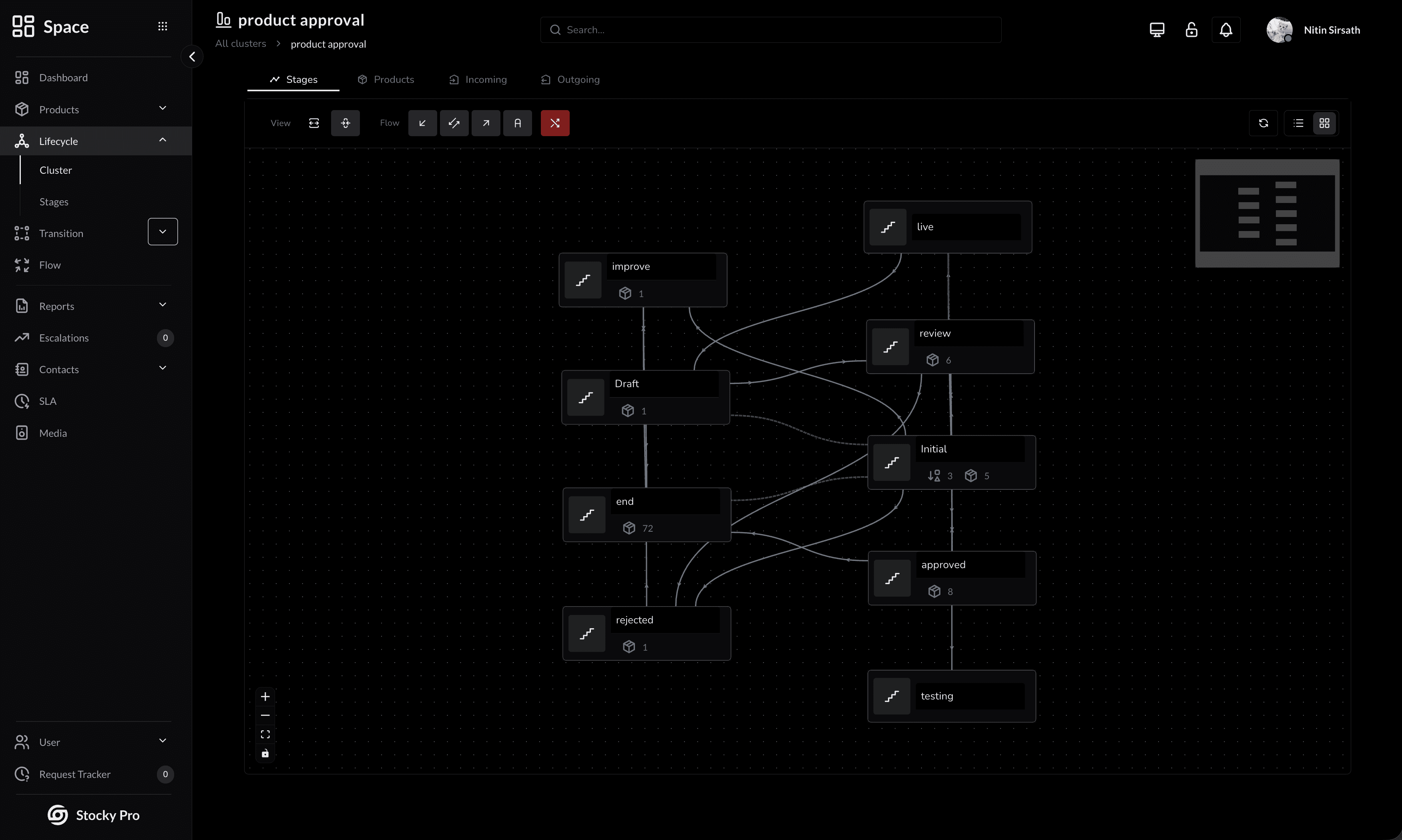
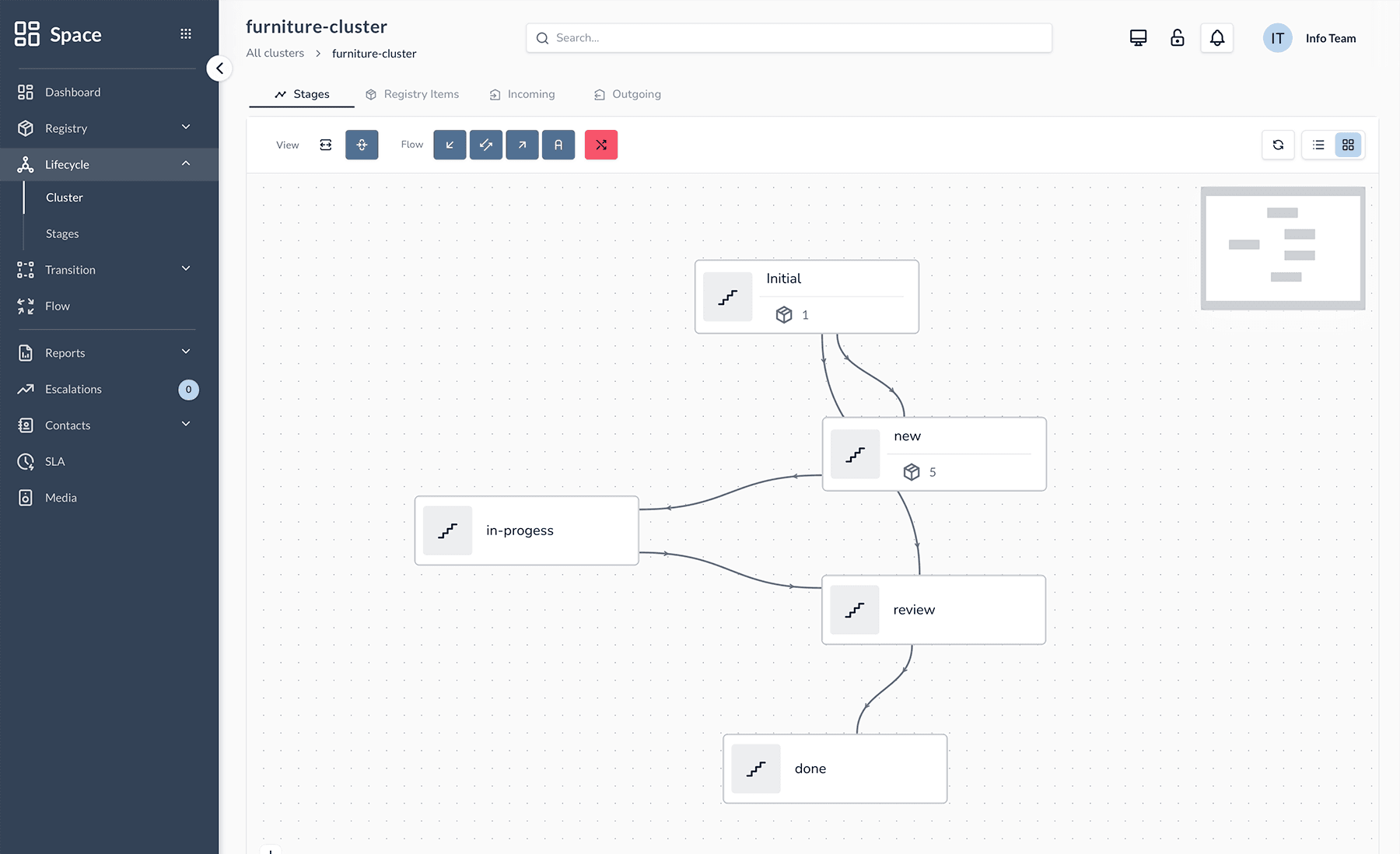
Stocky Pro brings sales, support, operations, work management, and device management onto shared contacts, records, workflows, reporting, and controls. The products available today work on their own while keeping the business context your teams share in one place.
Lifecycle and operational registry for the things your business runs on.
Explore SpaceCRM pipelines and sales execution for work that has to move forward.
Explore LeadsHelpdesk operations with routing, workflow control, and customer context.
Explore DeskBoards, workflows, and accountable work for the teams that deliver.
Explore TasksDevice enrollment, inventory, policies, and configuration in one control plane.
Explore MDMAccounting, billing, expenses, and reporting connected to operations.
Explore FinanceContacts, Tasks, Visits, Enquiry, Forms, Links, Schedule and every other core app come with any paid app.
A shared directory for people, organizations, and branches across the suite.
Keep one record for everything you track: products, assets, licences, vehicles.
Bring the questions from your forms and mailboxes into one list, each with an owner.
Define the structured information each workflow needs without changing the underlying app.
Define service targets and escalation rules across operational workflows.
Store and organize files, images, and documents for the records and workflows that use them.
Plan events, meetings, and reminders alongside the work and records they belong to.
Create, manage, and share links to resources inside and outside Stocky Pro.
Generate and schedule reporting and analytics across Stocky Pro products and modules.
Keep an audit trail and activity history for changes made across your operational data.
Connect mail, calendar, messaging, and other third-party services across the platform.
Contacts, Tasks, Visits, Enquiry, Forms, Links, Schedule and every other core app come with any paid app.
Explore the core appsSales, support, operations, work management, and device management share the same records and workflows, so teams do not have to stitch business context together across tools.
Bring customer conversations, deal context, and operations requests into one system from day one.
Route work to the right team automatically, with guardrails that keep priorities and deadlines visible.
Track outcomes across the teams involved so you can improve process quality without adding operational overhead.
The biggest gains come from alignment: fewer handoff gaps, faster response cycles, and cleaner visibility into what is actually working.
Shared context across sales, support, and operations removes follow-up loops and ownership confusion.
Stage rules and structured steps reduce skipped actions, missed approvals, and inconsistent execution.
Leaders can see work in progress across connected teams without waiting for spreadsheet rollups.
Support and sales responses stay contextual because all relevant history stays connected.
One shared platform reduces connector work, duplicated setup, and fragmented data models.
Teams keep full traceability of changes, decisions, and outcomes across complex workflows.
Stocky Pro is designed around shared contacts, records, workflows, and controls—not integrations that have to reconstruct business context.
Sales, support, and operations work from shared contacts and records instead of copied business context.
Keep sales, operational, and support work connected across the devices your team uses.
Bring a focused workflow into Stocky Pro, then extend the system as your operational needs grow.
Private data boundaries, customer-owned file storage, real-time session controls, full audit trails, and role-based access are built into the architecture from day one.
This is true tenant separation at the data layer, not shared tables with filters. Your records live in their own boundary from day one.
Use your own storage bucket for media and files so ownership stays with you. Storage billing remains between you and your cloud provider, not us.
Each customer runs on a private database, isolated from every other tenant. This is true data separation, not shared tables with filters.
Revoke access and it’s enforced immediately. Lost device? Lock it out in one click without disrupting the rest of the team.
Every change logs who, what, when, and where automatically. Records stay searchable and ready for audits or incident reviews.
Automatic lockouts and bot detection stop brute-force attempts early, whether attackers target one account or many.
Set role-based permissions for view, edit, and delete access so each user sees only what they need.
Recent activity stays fast, older records are archived automatically, and historical data remains retrievable for long-term compliance.
Data is encrypted in transit and at rest. Infrastructure failover keeps service available if primary systems degrade.
Built-in safeguards cover common web threats, and recoverability protections help reverse accidental destructive actions.
Systems are continuously monitored, patched, and updated. Authentication events are logged in detail for security investigations.
Real teams. Real operations. Real results.
4.9/5 average rating from 6 teams running support, sales, and workflow execution on one platform.
“We manage 2,500+ rental laptops across India. Before StockyPro, every department had its own tracker. Now there’s one system — orders, support tickets, device lifecycle, assignments — all connected. Handoffs went from days to minutes.”
“The change history sold us. Every update is tracked — who changed what, when, and from where. Combined with automatic deadline alerts, our compliance reporting went from a 2-week exercise to a 5-minute export.”
“We replaced three separate tools with StockyPro. The fact that contacts and products are shared across sales, support, and operations — without any setup — saved us weeks of work we’d normally spend connecting things together.”
“We track medical equipment through inspection, maintenance, and deployment. Space requires the right information at every step, so our regulatory documentation is always complete. No more paper logs.”
“GPS field visits changed how we manage our sales team. Reps check in from client sites, leads are auto-created, and I can see the entire day's activity in real time. No more "I visited 10 clients today" with no proof.”
“Six intake channels into one workflow. Auto-assignment that actually works. And the customer ratings — one click, no login needed — our satisfaction response rate tripled compared to our old survey tool.”
Pay for the apps you use. Nothing else. Every core app is included with any paid app.
AI, Audit Log, Contacts, Enquiry, Forms, Integrations, Links, Notifications, Product Catalog, Reports, Schedule, SLA & Escalations, Storage, Tasks, Team and Visits. Included with any paid app.
Per app
Rs 5,000
/ month per app · billed yearly · 25 users per workspace
Buy Desk, Space or Leads on its own. Each app has a 30-day free trial.
Rs 6,000 billed monthly (save 17% yearly) · Plus 18% GST · $60 / month billed yearly outside India
Custom
For teams over 25 users
A tailored plan for larger teams that need onboarding, product rollout guidance, and support for their connected operating model.
Move from a platform overview into the product, workflow, and evaluation routes that help buyers assess fit.
Review direct product comparisons across helpdesk, CRM, and operations use cases.
OpenUse casesExplore field sales CRM, helpdesk, and lifecycle-management use-case pages.
OpenGuidesUse the blog to understand implementation tradeoffs, workflows, product updates, and product thinking.
OpenTrusted by teams who moved on from spreadsheets and scattered tools. Short operational stories from customers who replaced spreadsheet handoffs, disconnected tools, and manual follow-up with one shared system.
Short operator stories from teams that replaced spreadsheet handoffs and disconnected tools with one shared system. These quotes capture what changed in day-to-day operations after moving into Stocky Pro.
Spurge Rentals
Operations Lead at Spurge Rentals
“We manage 2,500+ rental laptops across India. Before StockyPro, every department had its own tracker. Now there’s one system — orders, support tickets, device lifecycle, assignments — all connected. Handoffs went from days to minutes.”
Lia Morgan
VerifiedForesight
Cybersecurity Analyst at Foresight
“The change history sold us. Every update is tracked — who changed what, when, and from where. Combined with automatic deadline alerts, our compliance reporting went from a 2-week exercise to a 5-minute export.”
Sophia Collins
VerifiedNirvahana Nexus
Chief Technology Officer at Nirvahana Nexus
“We replaced three separate tools with StockyPro. The fact that contacts and products are shared across sales, support, and operations — without any setup — saved us weeks of work we’d normally spend connecting things together.”
Adam Johnson
VerifiedMedTrack
Founder at MedTrack Solutions
“We track medical equipment through inspection, maintenance, and deployment. Space requires the right information at every step, so our regulatory documentation is always complete. No more paper logs.”
Priya Sharma
VerifiedOur team can walk you through the platform live, answer questions specific to your setup, and help you plan a rollout.